
Remini Mod APK
Remini is searched by Android users who want an easy way to improve old, blurry, pixelated, or low-quality photos. The app uses AI-based enhancement tools to make images look sharper and clearer. Therefore, it can be useful for portraits, selfies, family pictures, old memories, and social media photos.
Remini Mod APK is mainly known as an AI photo enhancer. It can improve facial details, reduce blur, restore damaged photos, and increase the visible quality of low-resolution images. Besides photos, the platform also provides AI-based video enhancement features.
What Is the Remini App?
Remini APK is an unofficial Android version based on the Remini AI photo enhancement app. Its main purpose is to provide photo editing and AI enhancement tools in a modified package.
The normal app can enhance blurry pictures, restore old images, improve portraits, sharpen details, and increase the quality of low-resolution photos. In addition, it offers AI photo creation and other editing options.
A MOD version may advertise features such as premium tools, fewer restrictions, or an ad-free experience. However, these features can vary between different modified APK releases. Therefore, you should not assume that every app includes the same functions.
Remini Mod APK Information
| Feature | Details |
| App Name | Remini |
| Version | Depends on APK release |
| App Type | AI Photo Enhancer |
| Category | Photography |
| Platform | Android |
| Main Function | Photo Enhancement |
| AI Enhancement | Yes. |
| Face Enhancement | Yes. |
| Old Photo Restoration | Yes. |
| Video Enhancement | Available |
| AI Photos | Available |
| Premium Features | Depends on version |
| Internet | Usually required for AI processing |
| MOD Status | Unofficial |
The exact APK size, Android requirement, and available MOD features can change with each release. Therefore, always check the information shown with the particular file before installation.
Main Features of Remini AI
AI Photo Enhancer
The main feature is AI photo enhancement. You can select a low-quality picture and let the app improve its visible details. As a result, soft or unclear images can look sharper. In addition, it can help make faces and small details easier to see.
Fix Blurry Photos
Blurry photos can be difficult to use, especially when important face details are unclear. Remini Pro APK is designed to reduce blur and make faces and other parts of an image easier to see. As a result, old or soft photos may look cleaner and sharper. However, AI cannot always restore the exact original details. If a photo is badly damaged or has very low quality, the final result may look different from the real image. Therefore, results can vary depending on the original photo.
Old Photo Restoration
Old family pictures often have scratches, faded colors, noise, and low resolution. It can help improve the overall look of these images by adding sharpness and making visible details clearer. As a result, old photos may look cleaner and easier to view. This can be useful for people who want to refresh old memories before saving, printing, or sharing them.
Face Enhancement
Face enhancement is one of the main uses of the Remini Mod APK Download. The AI can improve visible facial details in portraits and selfies. Moreover, it can make eyes, facial outlines, and other small details look clearer. However, the final result depends on the quality of the original photo. Clearer source images usually give better results, while heavily blurred photos may have limited improvement.
HD Photo Enhancement
Many users search for HD Photo Enhancer because they want better-looking images without complicated editing. The app is designed to improve low-quality pictures and create a clearer result. However, HD enhancement does not mean that every image will become perfectly detailed. The original photo has a major effect on the final result. Therefore, heavily blurred or damaged images may still have some limits.
AI Photo Generator
Remini Pro Mod APK also offers AI photo creation features. These tools can create new versions of a person’s photo using different AI-based effects and styles. Therefore, the app is not limited to basic sharpening and photo restoration. It also gives users more creative ways to edit and transform their pictures.
Video Enhancement
Besides photos, it also supports AI-powered video enhancement. This can be useful for improving older or low-quality video content. As a result, users can make some videos look clearer without using complicated editing tools. However, video processing can take more time and resources than a single photo because many frames need to be processed. Therefore, the processing speed can depend on the video length, quality, and device performance.
Color Improvement
AI enhancement can also improve colors and tones. This is helpful for faded pictures or photos that look dull. In addition, it can make the overall image look more balanced and clear. As a result, an old picture may appear fresher and cleaner without requiring advanced editing skills.
Simple One-Tap Editing
Another useful part of Remini APK is its simple workflow. Instead of changing many editing settings manually, you can select a photo and choose an enhancement option. Therefore, beginners can use the app without learning complicated photo editing software. In addition, the simple interface makes basic photo enhancement easier and faster.
Remini Premium Features
Modified APK versions often advertise premium access. Depending on the particular release, you may see claims such as
- Premium AI tools
- Advanced photo enhancement
- Face enhancement
- HD export
- Extra editing options
- Fewer advertisements
- Additional AI features
- More enhancement options
However, these features are controlled by the individual modified APK. They are not guaranteed across every version.
The official Remini Mod APK itself uses a free download model with advertising and in-app purchases, while premium access is offered through subscriptions.
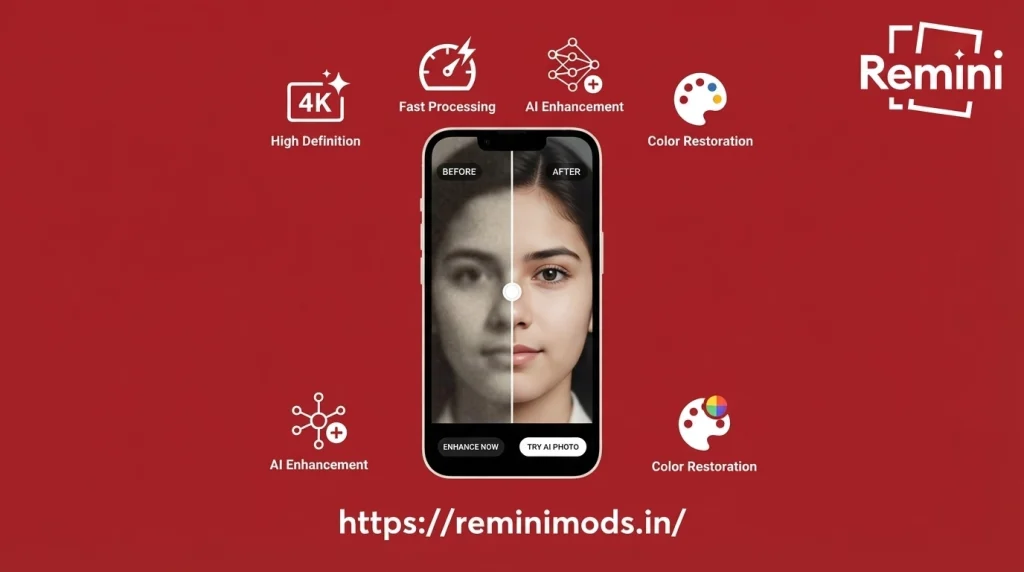
How Does Remini AI Work
Remini uses AI technology to analyze an uploaded photo or video and improve its visible quality. The system checks details such as faces, edges, colors, and overall image clarity.
For example, when you upload a blurry portrait, the AI can sharpen facial details and reduce some visible noise. Similarly, an old photo can receive improvements that make it look cleaner and easier to view.
However, AI enhancement is not the same as recovering the original photograph. If some details are completely missing, the system may create estimated details based on the available image. Therefore, the final result may not always match the original photo exactly.
How to Use Remini App for Photo Enhancement
Using the Remini app is fairly simple.
- First, open the app and select a photo from your gallery.
- Next, choose the enhancement option that suits your picture.
- After that, let the AI process the image.
- Once the processing is complete, compare the enhanced result with the original photo. If you like the result, save it to your device.
- For better results, use a photo that is not heavily damaged or extremely small. This gives the AI more visible details to work with.
How to Install Remini APK on Android
If you are installing an unofficial APK, follow these general steps carefully:
- Download the Remini APK file to your Android device.
- Open your device settings.
- Allow installation from the relevant unknown-source setting if Android asks for permission.
- Open your Downloads or file manager folder.
- Tap the APK file.
- Review the requested permissions.
- Select Install.
- Wait until the installation finishes.
- Open the application and test its basic features.
Android versions use different security menus, so the exact name of the setting can vary.
Is Remini Mod APK Safe?
Safety depends on the actual APK file and where it comes from. An unofficial modified app does not have the same trust or update path as the official version.
Therefore, be careful before installing any Remini AI. Check the file with a reliable security scanner, review its permissions, and avoid APKs that request access unrelated to photo editing.
Also, do not upload private or sensitive photos unless you are comfortable with the app’s data practices. The official Android listing states that the app may collect photos, videos, and other data. However, these data-safety details can change over time.
Remini Pro APK vs. Official Remini
| Feature | Official Remini | Mod APK |
| Official App | Yes. | No |
| AI Photo Enhancement | Yes. | Usually |
| Old Photo Restoration | Yes. | Usually |
| Face Enhancement | Yes. | Depends on version |
| AI Photos | Yes. | Depends on version |
| Video Enhancement | Yes. | Depends on version |
| Premium Access | Subscription | May be advertised as unlocked |
| Updates | Official | Depends on source |
| Security | Official distribution | Must be checked carefully |
The official app is distributed through recognized app stores and receives regular updates. A modified APK, on the other hand, can change from one release to another.
Remini Mod APK Download for Android
Remini Pro Mod APK is mainly used on Android phones and tablets for AI photo enhancement. The official Android version offers tools for restoring old photos, improving blurry images, enhancing portraits, and creating AI photos.
Before installing any APK, check your Android version. Newer releases may not work properly on very old devices. In addition, the current official listing notes that Android versions older than 7 may not support the latest updates.
Remini Pro Mod APK for iPhone and iPad
Remini Pro Mod APK is also available for Apple devices. Users can use it for photo enhancement, old photo restoration, portrait improvement, and other AI editing features.
The iOS version is available through the App Store. Therefore, iPhone and iPad users do not need to install an Android APK. They can simply download the official app and use it on their Apple device.
Remini APK for PC
An Android APK does not work like a normal Windows program. If you want to use an Android APK on a PC, you generally need an Android-compatible environment, such as an emulator.
However, for regular desktop photo editing, a native Windows photo editing app may be more convenient than running a mobile APK. Therefore, choose the option that suits your device and editing needs.

Common Uses of Remini
Reminders can be useful for many everyday photo tasks, including
- Improving old family photos
- Making blurry portraits clearer
- Enhancing selfies
- Improving profile pictures
- Cleaning low-quality images
- Restoring faded photos
- Improving screenshots
- Enhancing social media pictures
- Sharpening soft images
- Improving selected video content
Because of this, the app is useful for both casual users and people who regularly create visual content.
Tips for Better Remini Mod APK Results
For better results, start with the highest-quality original photo you have. A clear image gives the AI more details to work with.
Also, avoid enhancing the same image again and again. Each extra processing step can sometimes change small details or make faces look unnatural.
Furthermore, compare the original and enhanced versions before saving. This helps you see whether the AI actually improved the picture.
Pros & Cons of Remini App
Pros
- Easy photo enhancement
- AI-powered image processing
- Useful for old photos
- Face enhancement tools
- Blur reduction
- Simple interface
- Video enhancement options
- AI photo features
Cons
- Results depend on the original image
- Some features may require payment
- AI can sometimes create unnatural details
- Unofficial MOD APK files have additional security risks
- Internet access may be needed for cloud-based processing
Final Words
Remini Mod APK is a popular search term for users looking for AI-powered photo enhancement with modified premium features. The main experience focuses on improving blurry images, restoring old photos, enhancing faces, and making low-quality visuals clearer.
However, a MOD APK is unofficial, so its features, safety, and reliability can vary. Therefore, check the APK carefully before installation and keep your personal photos protected.
For normal use, the official app provides a more predictable update and support experience. It currently offers AI photo enhancement, old-photo restoration, face enhancement, AI photo creation, and video enhancement features.